

A Complete Guide To Online Company Incorporation In Malaysia
While we don’t think anyone expects online company incorporation to be as simple as buying stuff on Shopee, it’s more tedious than many think, so we’ll start with a key clarification.
If registering yourself for the first time, fully online company incorporation is not possible.
This is because Sdn Bhd registration is done via SSM’s Corporate Registry System (CRS) which exists as a module on their integrated SSM4U portal.
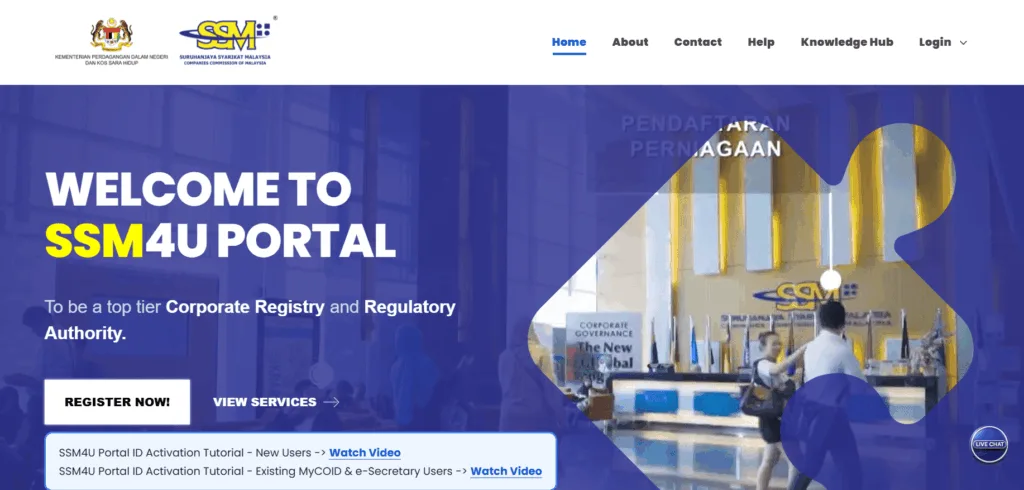
The KYC process for a new SSM4U account requires physically visiting an SSM branch or Tap It Kiosk, and depending on how far that is for you, this can make the process slightly to very inconvenient.

The rest of the process can be done online, including the actual company incorporation.
If learning about this makes you uncertain about the time expense, here are two things that can help:
- a list of SSM locations to help you see how far you’ll have to travel
- learn how 100% online incorporation services are possible
For readers who don’t mind getting behind the wheel, read on as we cover the A – Z of online company incorporation in Malaysia, including:
- details to prepare beforehand
- steps in the Sdn Bhd incorporation process
- challenges to be ready for, and
- how some can advertise incorporation in days
Let’s begin.
Details needed to incorporate
Upon submiting an application to incorporate a Sdn Bhd, you’ll need to fill in what’s called an SSM Superform, which, despite the name, looks like every other form – long and tedious!


A Superform is used to record company key information, including:
- proposed company name
- nature and description of business
- company type (shares vs guarantee)
- registered address
- director details
- shareholder details, and
- Company Secretary details
Coming up with a company name, selecting MSIC codes, and writing an accurate description can take time – so for the smoothest application, prepare them before you kickstart the CRS journey.


If you’re familiar with these terms, or better yet, if you already have them on hand, skip to the next section, while those scratching their heads might want to make a quick detour to these resources:
- SSM company naming guidelines and best practices
- how to write an SSM nature of business description
- guide to finding the right MSIC codes
We also suggest signing up for an account on MYDATA-SSM to check if your desired names are available.

At the very least, consider starting with appointing a Company Secretary, a mandatory officer for all companies in Malaysia, so it’s someone you’ll have to hire eventually anyways.
Your Company Secretary will then advise you on how to get the required information.
For now, let’s move to the incorporation process itself.
Steps to online company incorporation
As we said, it’s done via CRS, and in total consists of four main steps, including the physical SSM visit.

As we’ll never know how many applications are being processed, expect this to take two to four weeks. To make this go as smoothly as possible, have all the required details and supporting documents ready before you start the sign-up process.
Step 1: Sign up on SSM4U

Head to SSM4U and click Register Now, where you will be asked to select your ID type and enter your ID number, full name and email.
Set your password and complete your profile, then agree to their terms and confirm the registration.
Check your inbox and click the verification link to confirm your email address.
That confirms your email and brings us to the next step, which nobody enjoys.
Step 2: Verify your identity with SSM

Your account stays unverified and unable to access CRS until you prove who you are, and this is the first time we’ve experienced a process that’s less convenient for locals than foreigners 😂
For local Malaysians
You must physically visit either an SSM counter or a Tap.it kiosk – the latter is usually faster and less crowded and with just over 500 kiosks around Malaysia, there should be one near you.
For foreigners
Log into SSM4U and click Verify Now, then upload:
- a copy of your national ID or passport
- a photo of yourself holding your ID at neck level, and
- a utility bill or other supporting document
SSM typically processes these within three working days. Once you’re through, your dashboard status changes to Verified and the corporate registration services unlock.
Step 3: Search and reserve company name
Log back into SSM4U and go to Application > Register of Company (ROC) > Name Search > New Incorporation.

Select the following parameters:
- Local Company
- Limited by Shares
- Private Company (Sdn Bhd)
- suffix SDN. BHD.
Then search for your proposed name and if it’s available and you don’t want to complete the registration yet, you can pay RM50 to reserve it for 30 days.
Of course, you can also proceed straight to incorporation if you’re ready to complete it in one sitting.for an item-by-tem breakdown of how to complete the form.
Step 4: Make payment
Once again, those who took the time with Step 0 will have a breeze as the form simply asks for the details you’ve already decided, namely:
- business codes and description
- registered address
- directors, shareholders and shareholding details
- any authorisation letters your name requires
- Company Secretary certificate number (if you’ve appointed one)
Tick the declaration, verify the submission details are correct and submit.
You will be asked to pay SSM’s RM1,010 incorporation fee on top of RM50 for every name reserved.
Once payment clears, your application goes to SSM for review and you’ll get an email upon approval.
This email is titled ‘Notice of Registration’ and contains proof of your incorporation in the form of a document called the Notice of Registration or Section 15.

And there you go, a successfully incorporated Sdn Bhd.
It seems simple enough, and it very well could be, but allow us to leave you with a word of warning about typical challenges you should be ready for.
Challenges of incorporating yourself
Pardon us for starting this section like an advertisement, but the MISHU team incorporates dozens of companies a month – it’s our bread and butter.

We also provide a one-stop solution for post-incorporation business support, and if you are going to handle this entire thing independently, here are four challenges you’ll inevitably face.
1. Describing business nature
A company’s business nature is explained in the Superform through a combination of up to three MSIC Business Codes and a long-form description of up to 200 words.

This is no problem for simpler businesses, but businesses with complex or extensive activities can struggle to accurately capture how they generate revenue.
2. Addressing SSM queries
Not every incorporation application is automatically approved, and SSM officers will occasionally send applicants an official query that they must address before re-submitting the application.
Queries can be on various topics, and more technical amendments can be confusing to first time applicants.
3. Applying for business licenses
After incorporation, a business must still do a million other things before legally operating, the most pressing of which is probably applying for business licenses – and at the very least, most will need a PBT composite license.

Doing all this yourself as an inexperienced entrepreneur means even more time spent on administrative burdens instead of growing the business.
4. Opportunity cost of time lost
It’s no surprise some hire us the moment they find out they must otherwise physically visit SSM!
It’s a business decision. Incorporating yourself may be financially cheaper, but costs singnificantly more time queuing up, searching for available names, and finding the right business codes out of over 1000 options.
This section isn’t meant to discourage you from applying yourself, but to ensure that those who do go the DIY route do so with full clarity of the commitment involved.
How 100% online incorporation works
You’ve probably came across multiple ads offering fully online incorporation within days.

These are usually Company Secretaries, who have professional (not individual) SSM4U accounts that can submit incorporation applications on behalf of others – so incorporation is 100% online because you don’t need to physically visit SSM.
As for how long it takes, some providers say it can be done in three days, but we feel this may be more marketing than anything – our experience is 7 – 10 business days is more realistic.
But that’s still a lot faster and more convenient than doing it yourself!
So if the idea of driving to SSM and filling in forms sounds exhausting, a professional service provider may be worthwhile – doesn’t have to be us, but we’d prefer that it was!

One final word of caution: Be careful with providers advertising incorporation packages below SSM’s RM1,010 incorporation fee – it often means bundled services and hidden charges.
That’s it from us, and we wish you all the best with your incorporation journey 😊
Incorporate your company online with MISHU

MISHU’s dedicated team is here to help you every step of the way, giving you the freedom to fully focus on growing your business from day one.